

Hosted UI widgets
Redirect users to a branded self-serve portal for organization settings, member management, SSO, SCIM, domains, and user profiles.
Redirect signed-in users from your application to Hosted UI widgets at <SCALEKIT_ENVIRONMENT_URL>/ui/ so their workspace administrators can self-manage organizations, members, single sign-on (SSO), SCIM provisioning, domains, and profiles.
For example, add a link in your app’s settings or account area. Scalekit will use the active session and show users their workspace automatically.
<SCALEKIT_ENVIRONMENT_URL>/ui/ # https://your-app-env.scalekit.com/ui/When to use Hosted UI widgets
Section titled “When to use Hosted UI widgets”Use Hosted UI widgets when you want customers to self-manage their organizations and accounts without you building custom UIs.
- Advantages: Enterprise customers can self-serve member management, SSO setup, SCIM provisioning, domain verification, session policy, and their own profiles. Permissions and organization features are handled automatically. The portal stays up to date with new Scalekit capabilities.
- Trade-offs: Customers leave your application UI and work in Scalekit-hosted pages. Branding follows your shared application customization settings. You send users to
/ui/; they use portal navigation to open individual modules.
If you need a shareable link or iframe embed for enterprise IT admins to configure SSO, SCIM, and organization domain verification, use the Admin portal instead. Hosted UI widgets are the better fit for signed-in users who open self-serve settings from inside your product.
Organization widgets
Section titled “Organization widgets”Organization widgets let your customers manage their organization’s settings, members, and configurations. These widgets are access-controlled using Scalekit permissions and the features enabled for the organization. A widget appears only if the user has the required permissions and the organization has the corresponding feature enabled.
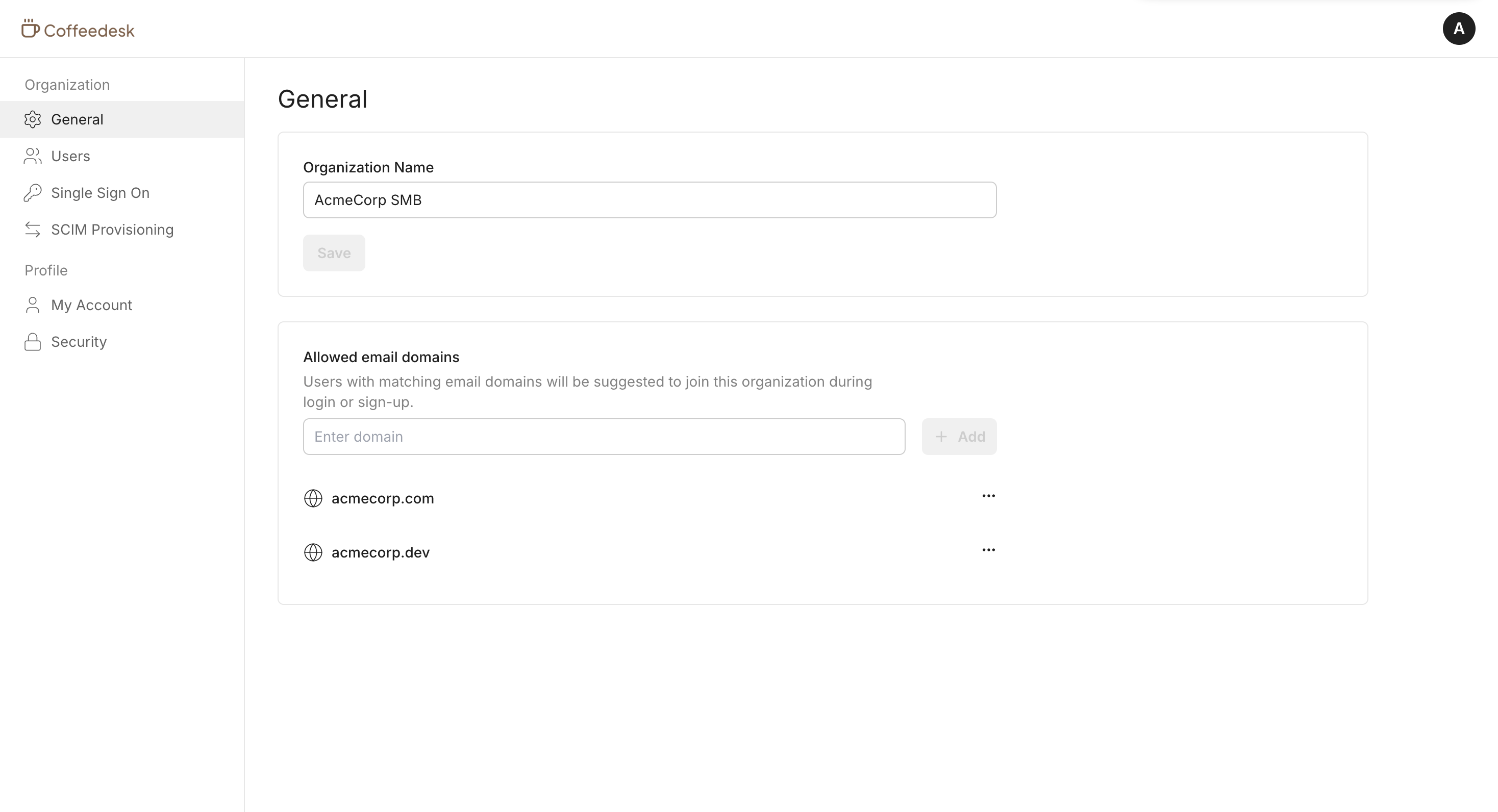
Manage organization settings
Section titled “Manage organization settings”Your customers can view and manage their organization profile, including allowed email domains. Navigate to Organization settings to update organization details.
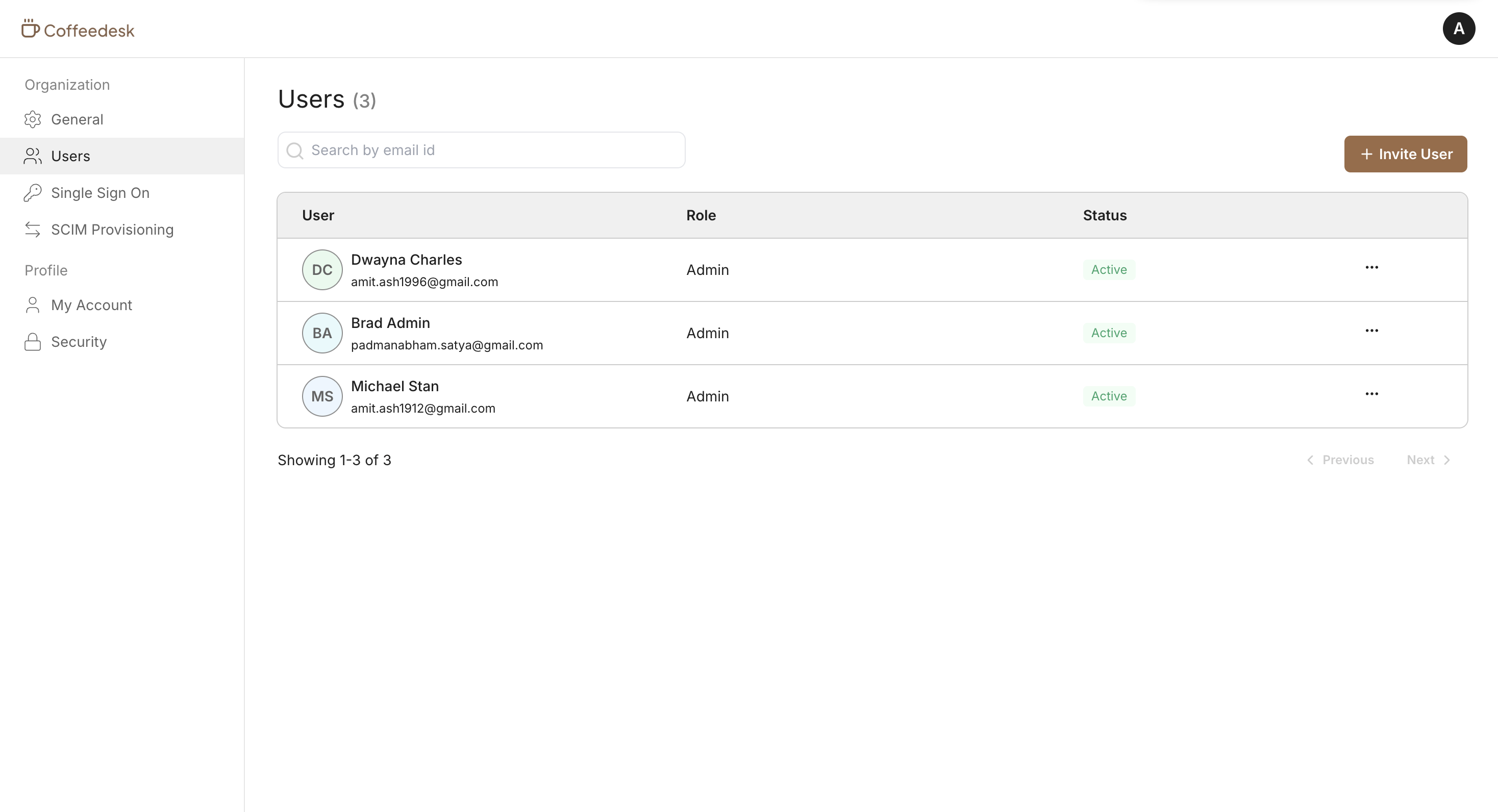
Manage organization members
Section titled “Manage organization members”Your customers can view organization members, invite new members, manage roles, and remove members from the organization. The Member management widget provides a complete view of their team.
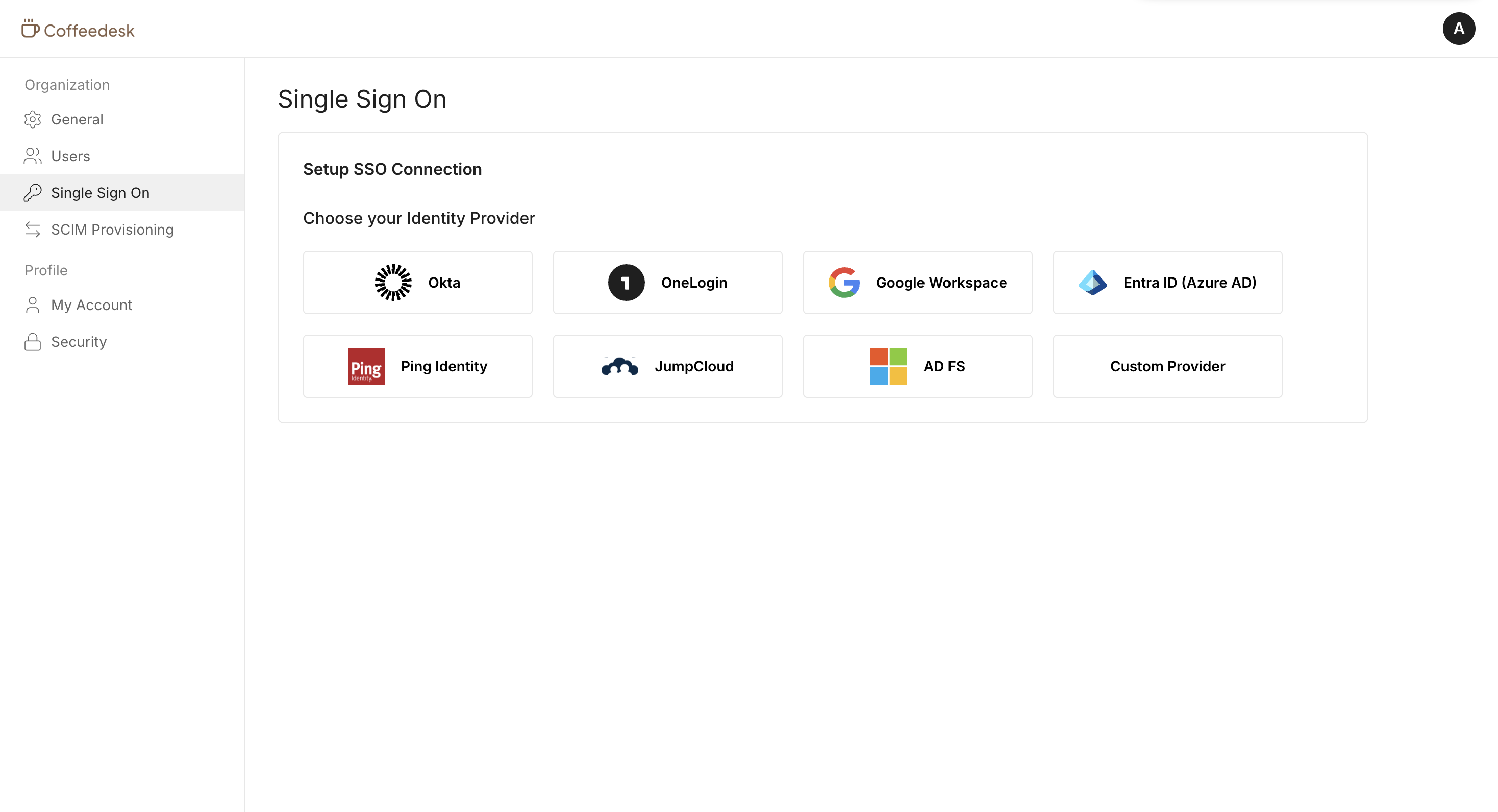
Configure SSO for the organization
Section titled “Configure SSO for the organization”Your customers can set up and manage Single Sign-On for their organization. The widget includes a setup guide tailored to their identity provider, making it easy to connect their SSO connection.
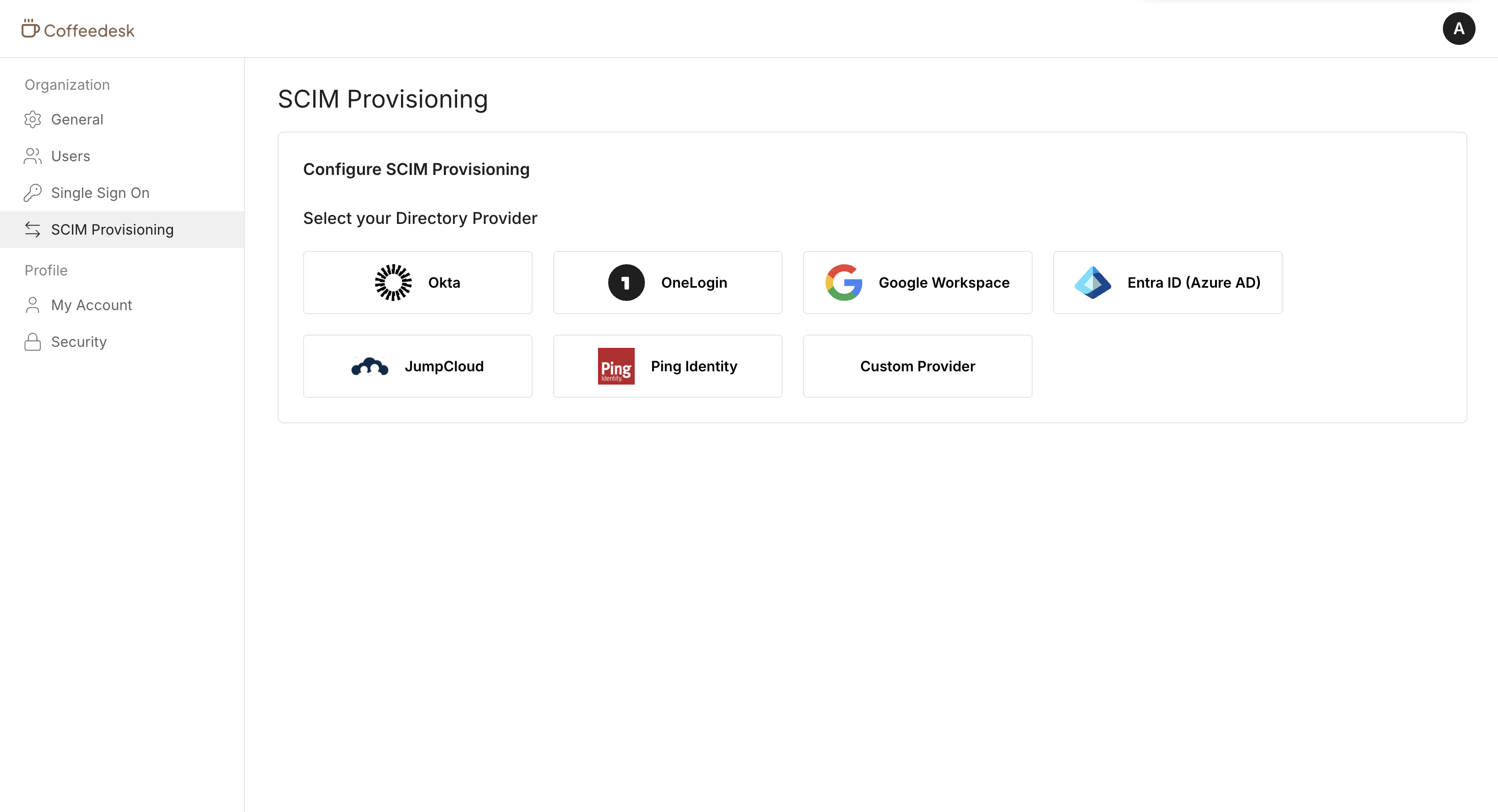
Configure SCIM for the organization
Section titled “Configure SCIM for the organization”Your customers can set up and manage SCIM provisioning for their organization. The widget includes a setup guide tailored to their identity provider to automate user and group provisioning.
Verify organization domains
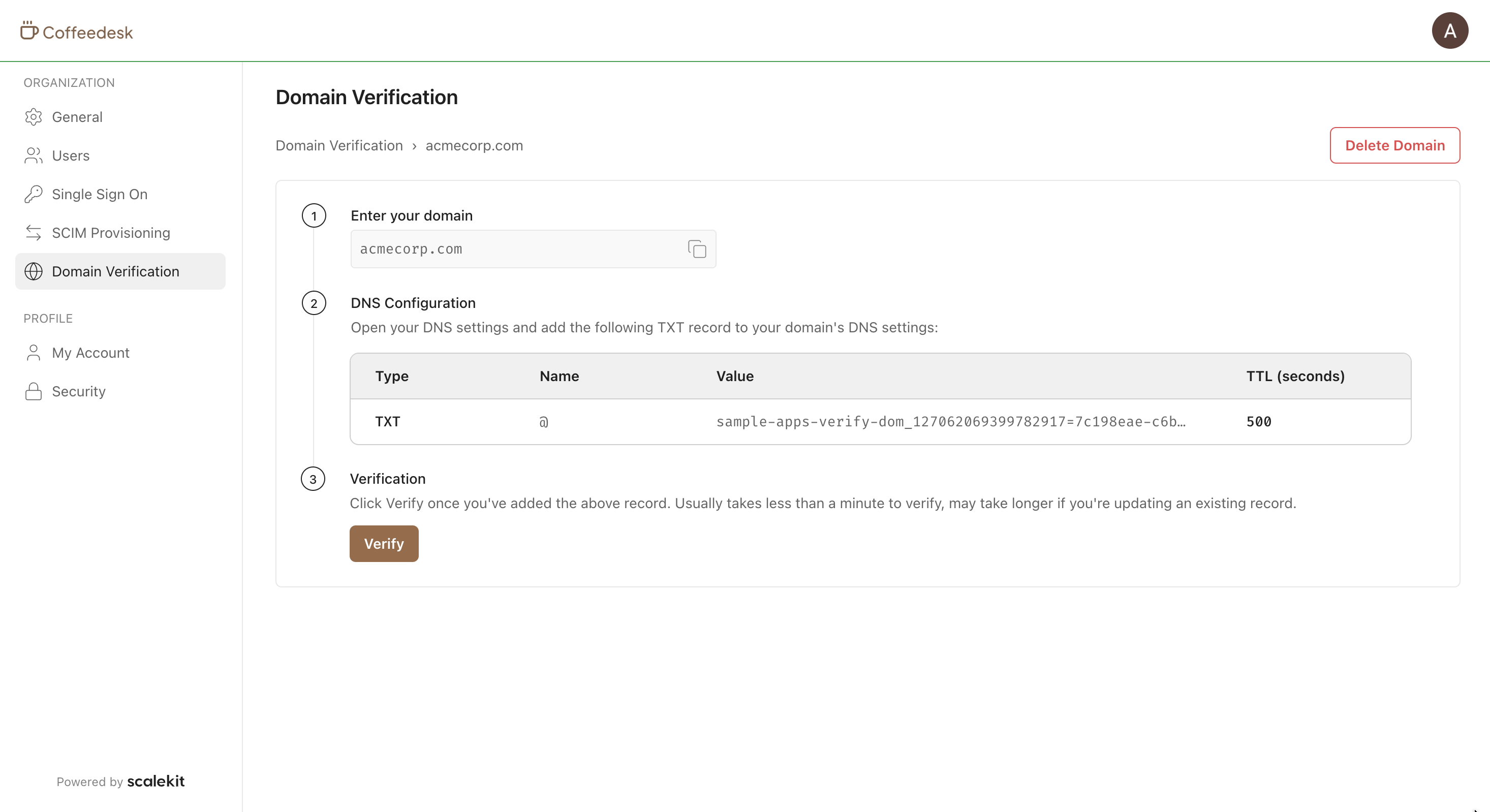
Section titled “Verify organization domains”Your customers can add and verify the domains they own, enabling Home Realm Discovery and SCIM provisioning for their organization. Learn more about organization domains.
After entering a domain, the widget displays the DNS TXT record to publish. Scalekit verifies ownership in the background and marks the domain as verified once the record propagates.
Manage session policy
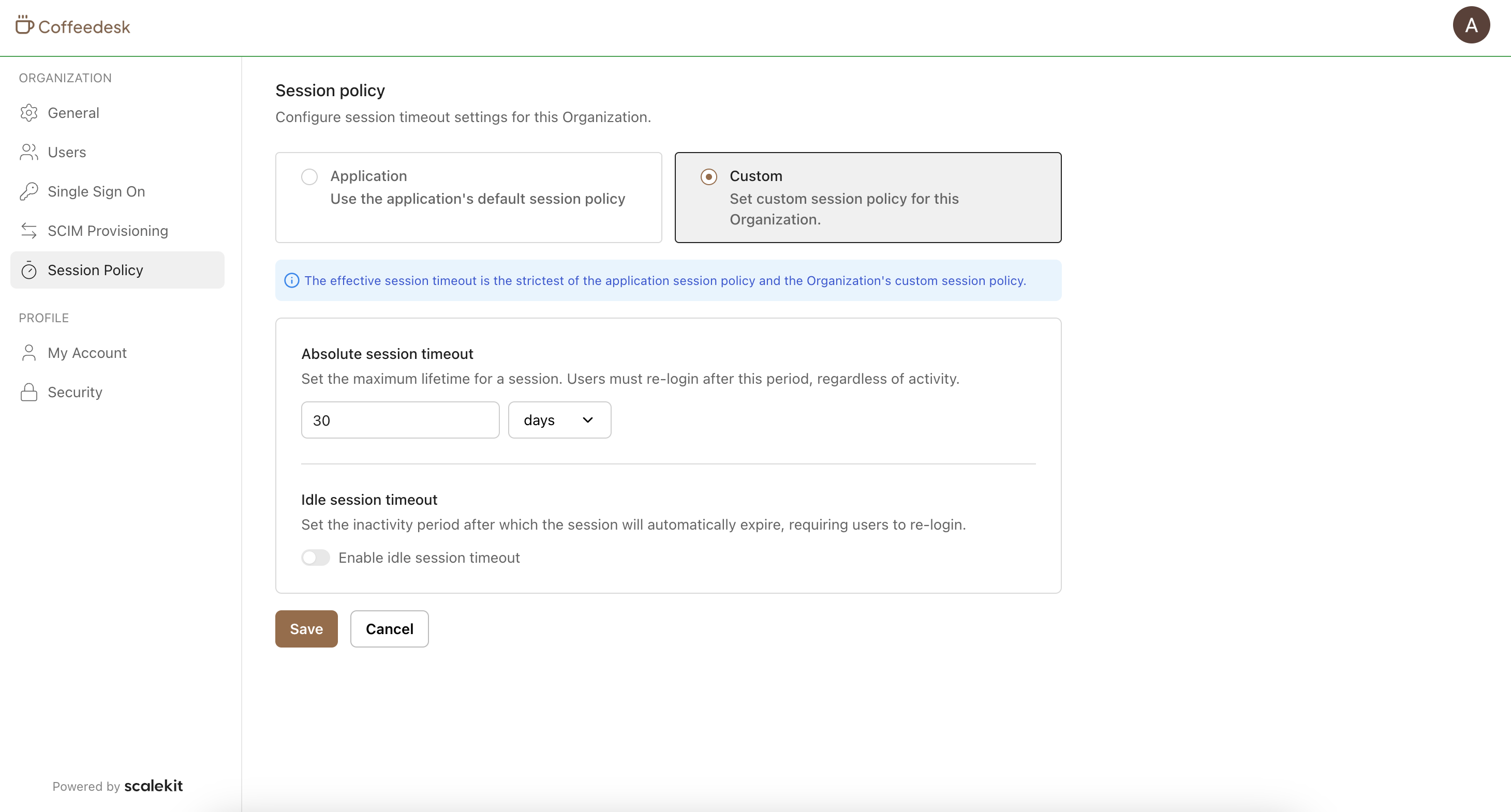
Section titled “Manage session policy”Your customers can view and configure their organization’s session policy, setting custom absolute and idle session timeouts that override your application defaults. Scalekit always enforces the stricter of the two.
User widgets
Section titled “User widgets”User widgets let your customers manage their personal profile and security settings. These widgets are accessible to all authenticated users and are not controlled by organization features or Scalekit permissions.
Manage profile
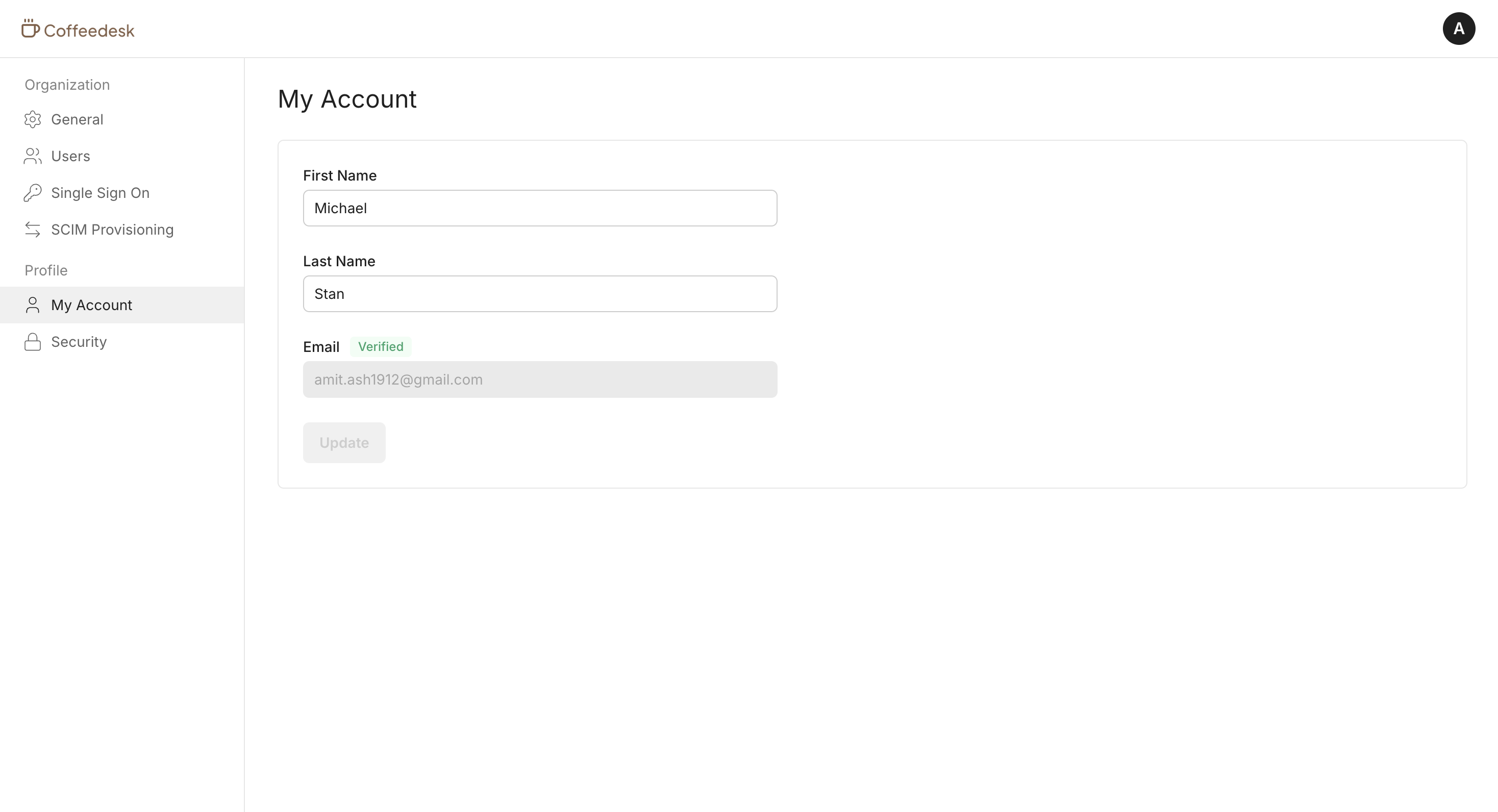
Section titled “Manage profile”Your customers can view and manage their personal profile information, including their name, email, and other account details.
Manage security
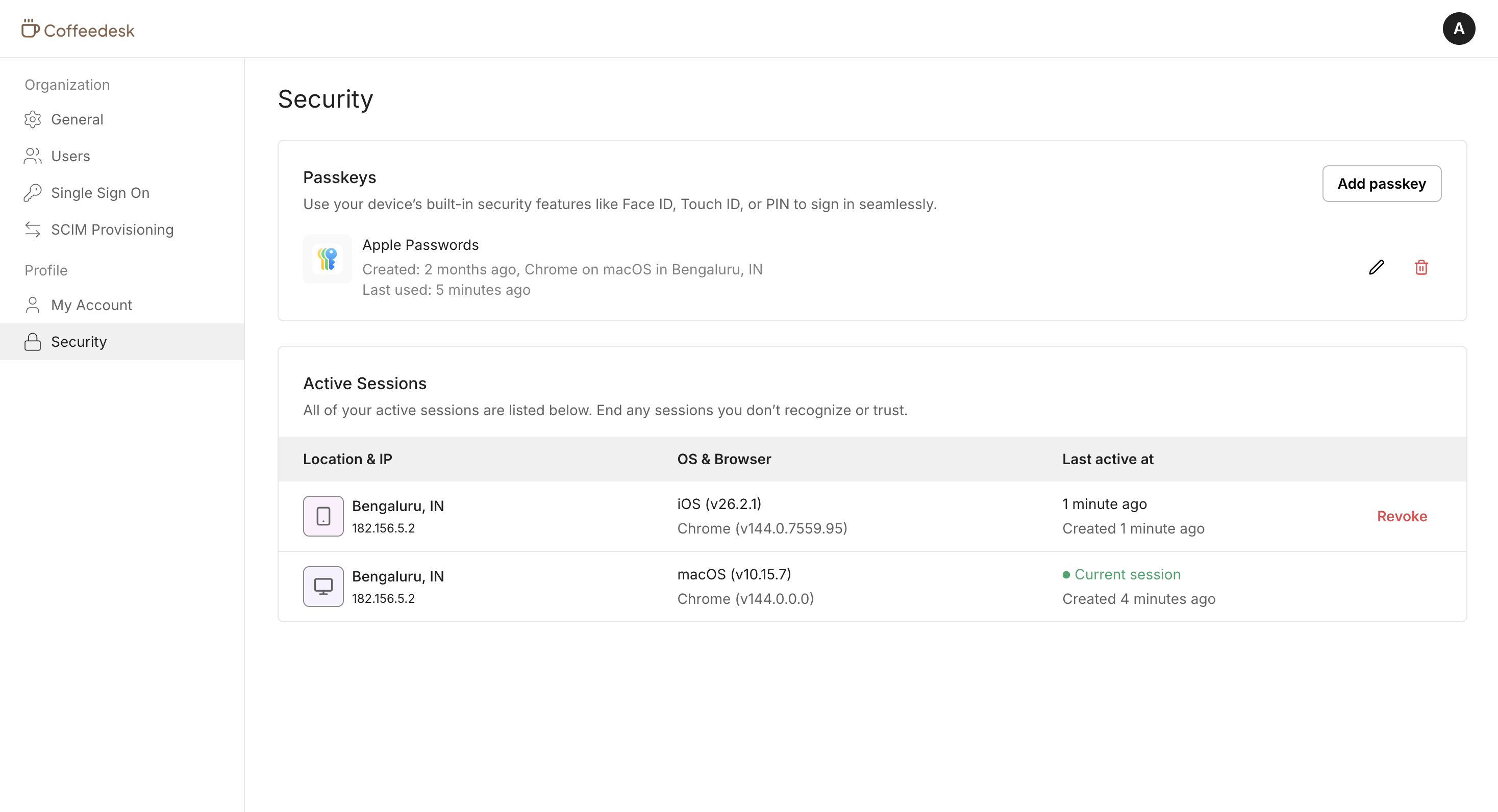
Section titled “Manage security”Your customers can register and manage passkeys, view active sessions, and revoke sessions. The User security widget helps them maintain account security.
Access management
Section titled “Access management”Hosted UI widgets enforce access using Scalekit permissions. You can map these permissions to any application roles assigned to the end user. When a user accesses Hosted UI widgets, Scalekit checks their permissions and shows the available widgets.
| Permission | Purpose |
|---|---|
sk_org_settings_read | View organization profile and settings |
sk_org_settings_manage | View and modify organization profile and settings |
sk_org_users_read | View users in an organization |
sk_org_users_invite | Invite new users to an organization |
sk_org_users_delete | Remove users from an organization |
sk_org_users_role_change | Change roles of users in an organization |
sk_org_sso_read | View SSO configuration for an organization |
sk_org_sso_manage | View and modify SSO configuration for an organization |
sk_org_scim_read | View SCIM configuration for an organization |
sk_org_scim_manage | View and modify SCIM configuration for an organization |
sk_org_session_policy_read | View session policy for an organization |
sk_org_session_policy_manage | View and manage session policy for an organization |
Branding and customization
Section titled “Branding and customization”Hosted UI widgets use your application branding so the portal looks like an extension of your app. The same customization settings apply across hosted experiences, including the login page and Admin portal. You can also apply organization branding where that feature is enabled.
You can change the Hosted UI widgets URL to match your application URL by setting up a custom domain.
Common scenarios
Section titled “Common scenarios”What is the shared session between my app and Hosted UI widgets?
It is the same Scalekit session issued to your application for that user. After your authentication flow, the browser holds Scalekit cookies for your environment or custom domain. Hosted UI widgets read those same cookies, so users do not sign in again when you redirect them to /ui/.
What happens if a user does not have a session?
Scalekit redirects the user to that Scalekit environment’s login page for their account. Send users to /ui/ only after they complete your authentication flow so a Scalekit session cookie is available.
What happens when a user logs out from Hosted UI widgets?
Scalekit ends the Scalekit session and redirects the user to that Scalekit environment’s login page for their account (the hosted login screen on your environment or custom domain). Because Hosted UI widgets and your app share that session via Scalekit cookies, the user must sign in again before returning to /ui/ or to app routes that rely on the same browser session.
If you keep a separate application session in your own backend, clear it when Scalekit logs the user out. Use back-channel logout or the user logout webhook so your backend stays in sync. See manage sessions for guidance.
How does /ui/ choose the organization for multi-org users?
The portal uses the user’s current active organization from their Scalekit session. Set or switch the active organization in your application before redirecting to /ui/. You do not pass an organization ID as a query parameter on the portal URL.
Do Hosted UI widgets require webhooks to load data?
No. Scalekit hosts the pages and loads the data they need. Use webhooks for your application workflows, for example logout propagation or provisioning events, not to supply data to Hosted UI widgets.
Can I embed Hosted UI widgets in an iframe?
No. Use the Admin portal for iframe embeds and shareable links. The Admin portal supports enterprise setup for SSO, SCIM, and organization domain verification. Hosted UI widgets are full-page experiences only; redirect users to /ui/.